PNG compression comparison
Comparing the effectiveness of different programs at producing optimally small PNG files is difficult. There are likely to be some images which favour one particular program, whilst others favour another. And results may depend on program version, and program compilation options.
So the main point of this page is to convey the message that not all PNG writers are equal. This is why various PNG optimisers exist, such as Pngcrush, OptiPNG, zopflipng, bmp2png, and others. Finding the absolutely minimal PNG representation of an image is a very hard task, and some programs spend a long time trying. Sometimes this is pointless, but, for images which will be compressed once and then downloaded many thousands of time, it can be worthwhile.
Just three test images are used. The first point is that arguably only one should be presented as a PNG. The test images are:
- circ.png three concentric circles, with transparency and antialiasing (for which a vector format such as SVG should be used)
- pymol.png a screen-grab, for which PNG is a suitable image format
- chaff.png a photograph, for which JPEG would be much more suitable

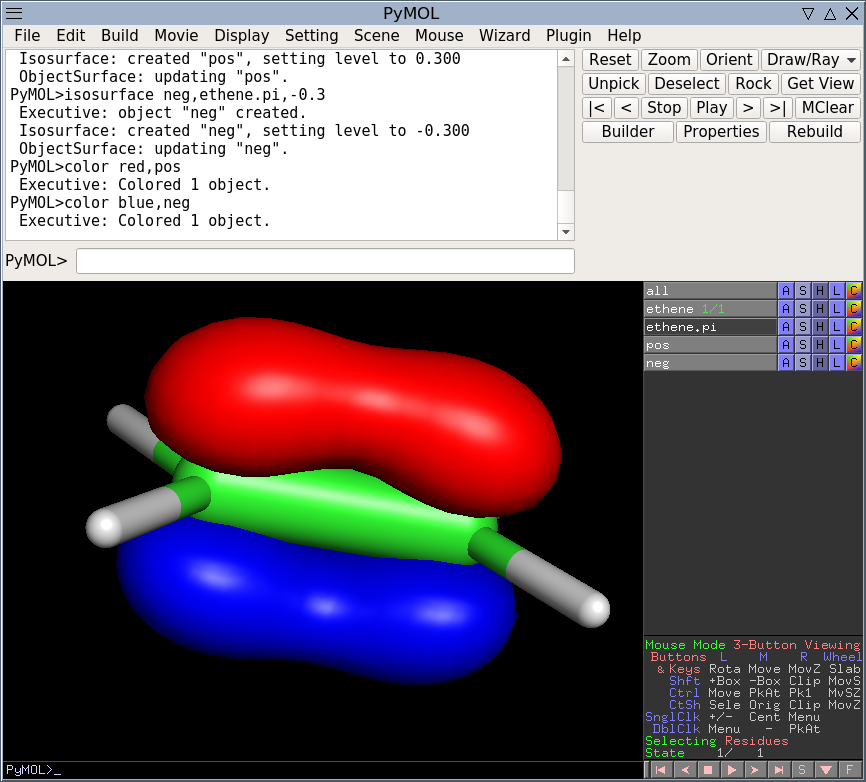
The programs used were those shipped with Ubuntu 18.04.1 LTS, save for Preview from MacOS 10.13.6, and bmp2png (version 1.40).
zlib-based compressors
| circles | screen-grab | photo | |
|---|---|---|---|
| Preview | 3536 | 180157 | 290297 |
| GIMP | 1996 | 126808 | 245095 |
| ImageMagick | 1152 | 132487 | 244879 |
| pngcrush -brute | 1536 | 120137 | 242008 |
| optipng | 909 | 118782 | 241839 |
| bmp2png -999z | 894 | 108138 | 241506 |
optipng options: -o7 -zm1-9
(Why is Preview's output so large? One reason is that all the images are written with 32 bits per pixel, with a full alpha channel added.)
zopfli-based compressors
| circles | screen-grab | photo | |
|---|---|---|---|
| zopflipng | 833 | 104594 | 230407 |
| bmp2png -999 | 832 | 96380 | 230290 |
zopflipng options: --iterations=50 --filters=01234mepb
Lossy PNGs?
The photograph is not only an example of something which really
does not need lossless compression, but it also an example of
something where the noise adds considerably to the filesize. It is
from a low-quality camera which produced a jpeg image, so the least
significant bit in each component value is mostly random, and
therefore almost uncompressible. But variations in this bit will be
almost undetectable to the eye. So why not remove it? This can be
done with bmp2png's -N=7 option, and even without using
zopfli it reduces the size to 201,137 bytes, from 241,506.
So the least significant of the eight bits, whose visible impact is negligible, was responsible for over a sixth of the file's size.
There is little reason not to go further and to reduce to just six
bits per channel (-N=6). Used with zopfli, this reduces
the photo to just
140,544 bytes, almost 29% smaller than the original with zopfli.


On the left the 24-bit photo, on the right the 18-bit one. Whilst in this case using JPEG would have been more sensible, in the case of an image such as the screen-grab shown above, using PNG will keep the sharp edges and text, and a slight reduction in bit depth can make for a much smaller file with little loss in quality.
One can try comparing the original screen grab and the bit reduced version. The 18-bit version is almost 25% smaller, yet looks identical.